
Audit-ready reporting means every report handed to an auditor comes with a verifiable generation log, retained supporting evidence, and documented reviewer sign-offs, so nothing has to be reconstructed after the request lands. The immediate priority for compliance and IT teams is closing that gap now: log who generated each report and when, archive the evidence behind it, and assign a named reviewer to sign off before the file ever reaches an examiner. Platforms built for this purpose exist specifically to automate that chain rather than leave it to spreadsheets and institutional memory.
- Most institutions can close key audit readiness gaps within a single quarter by assigning clear ownership, standardizing templates, and automating scheduled report generation.
- Implementing automated logging of parameters, version control, and retention with integrity checks ensures reports are traceable and defensible without manual reconstruction.
- Near-real-time integration with source systems reduces discrepancies, and thorough exception documentation prevents hidden errors during audits.
- Training report creators on audit standards, regulatory changes, and the importance of process discipline helps maintain continuous compliance.
- Using specialized platforms like RiskInMind simplifies evidence packaging, versioning, and access control, making audit readiness a consistent organizational habit.
Maintain 100% NCUA & OCC Audit Readiness
Monitor regulatory updates 24/7, check internal credit policies, and generate compliance trails with Erina (AI Regulatory Agent).
Table of Contents
- What Counts as Audit Ready Reporting? Core Components
- A Practical Checklist: What to Fix This Quarter
- How to Build Audit-Ready Reports From Data to Delivery
- How Audit Ready Reporting Maps to Enterprise Controls
- Data Accuracy and Validation Before You Generate Anything
- Handling Report Exceptions Without Losing the Trail
- Real-Time Source System Integration Matters More Than It Looks
- Training Report Creators on What Auditors Actually Check
- Keeping Reports Current as Regulations Change
- Why Audit Readiness Has to Be a Habit, Not a Season
- See How RiskInMind Handles Audit-Ready Reporting
- Sources
- FAQ
What Counts as Audit Ready Reporting? Core Components
Auditors don't grade reports on formatting. They grade them on whether the numbers can be traced, reproduced, and defended without a scramble. PCAOB AS 1215 requires documentation detailed enough that an experienced auditor with no prior connection to the engagement can understand the procedures performed and the judgments behind them. That standard shapes everything below.
- Audit trails. Every report run should log the user who generated it, the parameters selected, and a precise timestamp. Business Central's audit trail report is a useful reference model here: it captures creation date and time, user ID, source code, batch name, and reversed-entry indicators so G/L activity can be traced and verified without a manual walkthrough.
- Template and parameter versioning. If the report layout changes mid-year, auditors need to know which version produced which output. Snapshotting templates as versioned files, whether in Git, SharePoint, or an internal repository, lets you recover the exact layout used at any point in time.
- Retention with integrity checks. Archival storage needs a defined retention window and a way to prove files haven't been altered. A hash computed on receipt and stored alongside the file record gives auditors a fast technical check that a delivered PDF matches what was originally archived.
- Scheduled generation and delivery confirmation. Automated jobs writing to an immutable archive, with execution logs and delivery receipts, remove the manual-export step that introduces most errors.
- Control-by-control evidence packaging. Evidence should map to specific control IDs, with a short narrative explaining what the evidence demonstrates, not just a folder dump.
- Access control and separation of duties. The person who can edit a report template should rarely be the same person who approves its output. PCAOB AS 1105 notes that evidence is most reliable when it comes from independent sources, and internal separation of duties is how you build that independence into your own reporting stack.
A Practical Checklist: What to Fix This Quarter
You don't need a multi-year program to move the needle. Most institutions can close the biggest gaps in a single quarter if the work is sequenced correctly.
- Assign named owners for each report category and define exactly what evidence item satisfies each control. Vague ownership is the single most common reason audit requests stall.
- Standardize templates and snapshot every version before it goes into production, with a changelog tied to who approved the change.
- Log parameters for every run, not just the output. If a report can be filtered by branch, date range, or product line, that filter selection belongs in the log.
- Automate scheduled runs into an immutable archive and capture execution metadata (start time, completion time, row counts, delivery confirmation).
- Enforce role-based access and separation of duties between template editors, report generators, and approvers.
- Set retention policies by report type and actually test the retrieval SLA, don't just document it. Pull a report from eighteen months ago and time how long it takes.
- Instrument three KPIs: evidence-completion rate (completed items divided by required items, with 95% cited as a strong benchmark in one industry example), audit-request turnaround time, and open evidence-item count.
Pro Tip: Run your evidence-completion calculation monthly, not just before an audit window opens. A rate that looks fine in January can quietly erode by September if nobody's watching it between cycles.
Turning ad-hoc evidence requests into standing, canned reports built once and reused is what separates institutions that treat audits as routine from those that treat them as fire drills every single cycle.
How to Build Audit-Ready Reports From Data to Delivery
The workflow below works whether your team builds it internally or leans on a vendor platform to run it.
- Map reports to audit objectives and control IDs first. Before touching a template, know which control each report is meant to support. Skipping this step is why teams end up with reports auditors can't tie back to anything.
- Design canonical templates with a parameter-logging strategy built in. Every filter, date range, and scope selection should write to a log automatically, not depend on someone remembering to screenshot it.
- Set up scheduled jobs that write to archival storage and log execution metadata. CxReports notes that scheduling generation and delivering outputs directly into stores like S3 or SharePoint removes the manual export step where most integrity issues start.
- Package evidence control by control, then create a signed, read-only workspace for the auditor. This single change eliminates the version-confusion problem that eats hours during fieldwork.
- Run a dry-run audit before the real one. Hand a prepared evidence pack to an internal reviewer acting as the auditor and see what breaks. Retrieval gaps and missing approvals surface far cheaper in a dry run than during a live engagement.
Teams that already run continuous evidence collection as part of normal reporting cycles, rather than a pre-audit scramble, consistently show higher completion rates when the real request comes in. Riskinmind's approach to optimizing compliance reporting for auditors reflects this same sequencing.
How Audit Ready Reporting Maps to Enterprise Controls
Most of the checklist above is mechanical work, exactly the kind of work that's expensive to do manually and easy to automate once you've mapped it correctly. Some enterprise-grade platforms are built around that mapping.
- Automated evidence generation and template versioning. Report templates, parameter logs, and execution metadata are captured automatically rather than reconstructed after the fact.
- SOC 2® aligned controls and bank-grade security, positioned specifically for the access-control and separation-of-duties requirements financial institutions face during regulatory review.
- Signed, read-only auditor workspaces that mirror the industry pattern of inviting examiners into a controlled environment rather than emailing spreadsheets back and forth.
- Integration with common archival targets such as S3 and SharePoint, plus identity providers and general-ledger source systems, so evidence flows into the archive without a manual export step.
Document generation tools like Mark, RiskInMind's AI document generator, handle the templating and versioning layer directly, which is where most institutions lose the most time.
Data Accuracy and Validation Before You Generate Anything
A perfectly logged, perfectly archived report is worthless if the underlying numbers are wrong. Validation has to happen before generation, not after an auditor flags a discrepancy.
That means reconciling source data against the general ledger before a scheduled job runs, not after. Build automated checks that flag variance thresholds, missing fields, and duplicate entries at the data layer, before those problems propagate into a formatted report that then has to be pulled back and corrected. Reconciliation isn't a one-time close activity. It's a control that belongs inside the report-generation pipeline itself.
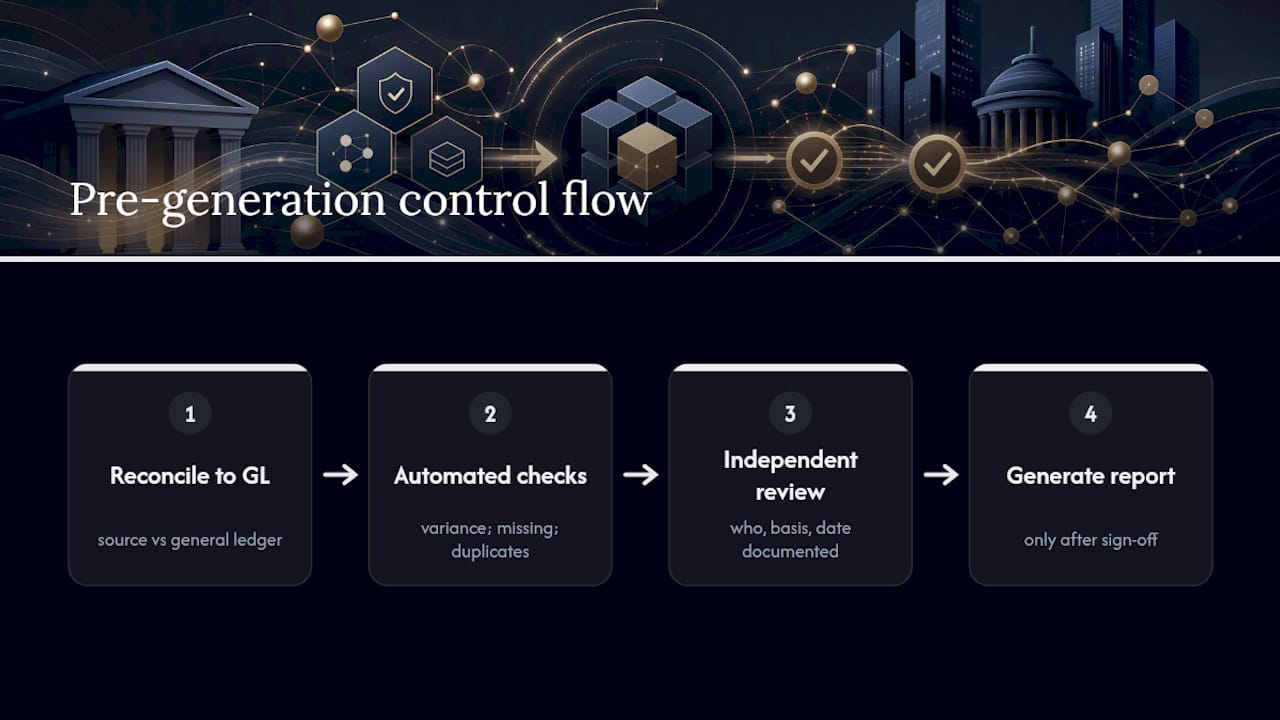
Validation also needs an owner distinct from the person who built the report. Having the same analyst check their own numbers defeats the purpose of a review step. A second set of eyes, ideally someone with authority to reject a report back to the source-data owner, catches the errors that self-review misses. Document that review: who checked it, what they checked against, and when. That record is exactly what PCAOB AS 1215 asks documentation to show: who performed the work, who reviewed it, and the date of that review.
Handling Report Exceptions Without Losing the Trail
Exceptions happen. A batch fails to load, a reconciliation breaks, a report generates with a null field where a number should be. What separates audit-ready teams from the rest is not avoiding exceptions entirely, but documenting them the moment they occur.
Every exception needs three things logged at the time it's caught: what triggered it, who resolved it, and what the resolution actually changed. An exception log that only says "fixed" tells an auditor nothing and invites exactly the kind of follow-up questions that eat a week of fieldwork. A log that says "batch 4471 failed due to a mismatched account code, corrected by [name] on [date], re-run confirmed against source ledger" closes the question before it's asked.
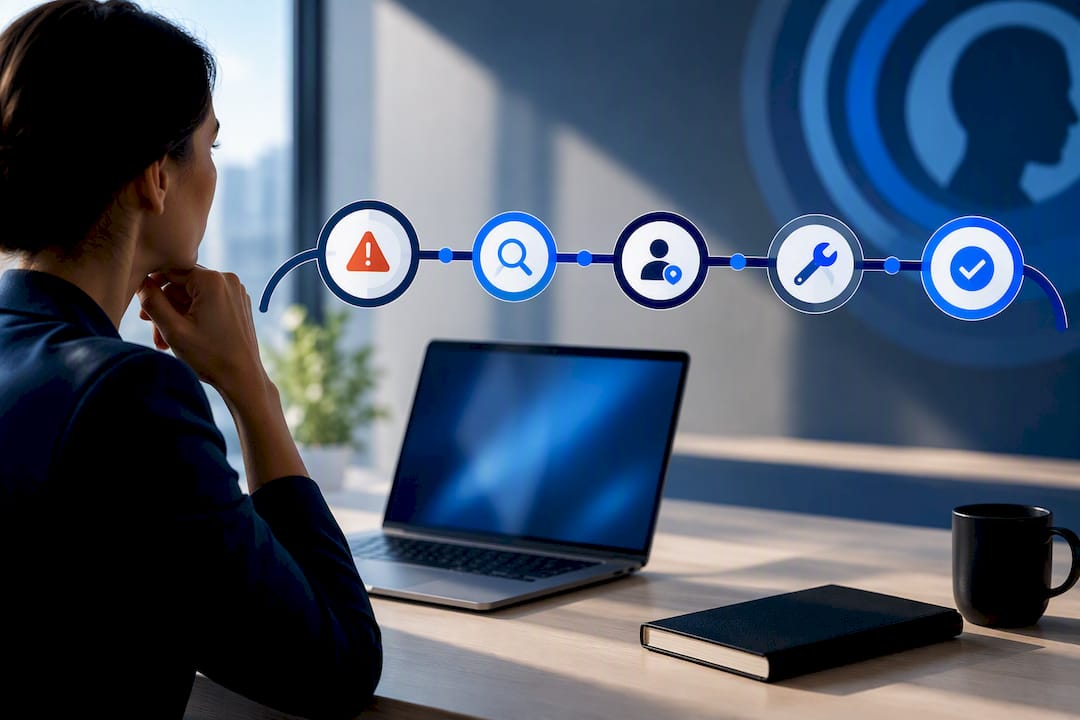
Resist the temptation to quietly patch a broken report and move on. If a number changed between the first generation attempt and the final delivered version, that change belongs in the record, not buried in a re-run nobody mentions. Auditors generally trust institutions more, not less, when exceptions are visible and clearly resolved. A clean-looking report with no exception history at all can actually raise more questions than one with a documented, closed-out exception trail.
Real-Time Source System Integration Matters More Than It Looks
Reports built from data exported hours or days earlier carry a built-in credibility problem: an auditor can always ask why the number in the report doesn't match what the source system shows right now. Near-real-time integration with core banking platforms, loan origination systems, and the general ledger closes that gap.
This doesn't require rebuilding every pipeline. It requires knowing which reports genuinely need current-state data (portfolio risk dashboards, delinquency tracking) versus which ones are legitimately point-in-time snapshots (quarter-end regulatory filings). Point-in-time reports need a clear "as of" timestamp baked into the report itself, not just a filename convention someone will forget in six months.
Where integration is worth the engineering investment, connecting report generation directly to source systems through API feeds rather than nightly batch exports reduces the lag between what happened and what the report shows. It also reduces the number of manual reconciliation steps that can silently introduce errors between systems. Fewer hops between the transaction and the report means fewer places for something to go quietly wrong.
Training Report Creators on What Auditors Actually Check
Most report-generation errors trace back to a template being modified by someone who didn't know the downstream audit implications of that change. Training closes that gap far more cheaply than fixing the fallout later.
New report creators need to understand three things before they're given template-edit access: what fields auditors trace back to source systems, why parameter logging can't be skipped even for "quick" ad-hoc pulls, and how a changed template without version control creates a documentation gap that surfaces months later. This isn't a one-time onboarding session. Regulatory guidance shifts, and a report creator trained two years ago on a rule set that's since changed is a liability, not an asset.
Build a short, standing reference guide, not a lengthy manual nobody reads, that covers your institution's specific evidence standards: what counts as a reviewer sign-off, what retention window applies to which report type, and who to escalate to when a request doesn't fit an existing template. Tie access to complete this training before anyone gets template-edit permissions, and refresh it whenever your control mapping changes materially.
Keeping Reports Current as Regulations Change
An audit-ready report built to last year's standard isn't audit-ready anymore if the underlying regulation has moved. Reports need a scheduled review cycle, not a one-and-done build.
Set a defined cadence, quarterly for high-change areas like CECL and fair lending, annually for more stable reporting categories, and assign a named owner to confirm each report's control mapping still matches current regulatory guidance. When a rule changes, that owner's job is to trace every report tied to the affected control and update the template, not wait for the next scheduled review to catch it.
Document every review cycle the same way you'd document an exception: who reviewed it, what changed, and what stayed the same. An auditor who sees a dated, signed review history trusts your reporting program more than one that looks static year over year, because static usually means nobody's actually checking.
Why Audit Readiness Has to Be a Habit, Not a Season
Most institutions treat audit prep as a sprint that starts six weeks before fieldwork and ends the day the auditors leave. That's backwards, and it's expensive. Every hour spent reconstructing a parameter log or chasing down who approved a report in March is an hour that continuous evidence collection would have made unnecessary.
The fix isn't more effort during audit season. It's less effort, distributed evenly across the year, with one person accountable for evidence completeness and a monthly cadence for checking it. Assign that ownership explicitly, review the completion-rate KPI monthly, and treat any drop as a signal worth investigating immediately, not at quarter-end. Institutions that get this right stop dreading the audit request email. They just forward the workspace link.
— Raj
See How RiskInMind Handles Audit-Ready Reporting
RiskInMind is built specifically to close the gap between what auditors expect and what most institutions can actually produce on short notice: automated evidence generation, template versioning, and packaged control-by-control evidence, all running on SOC 2® aligned, bank-grade infrastructure with sub-second processing.
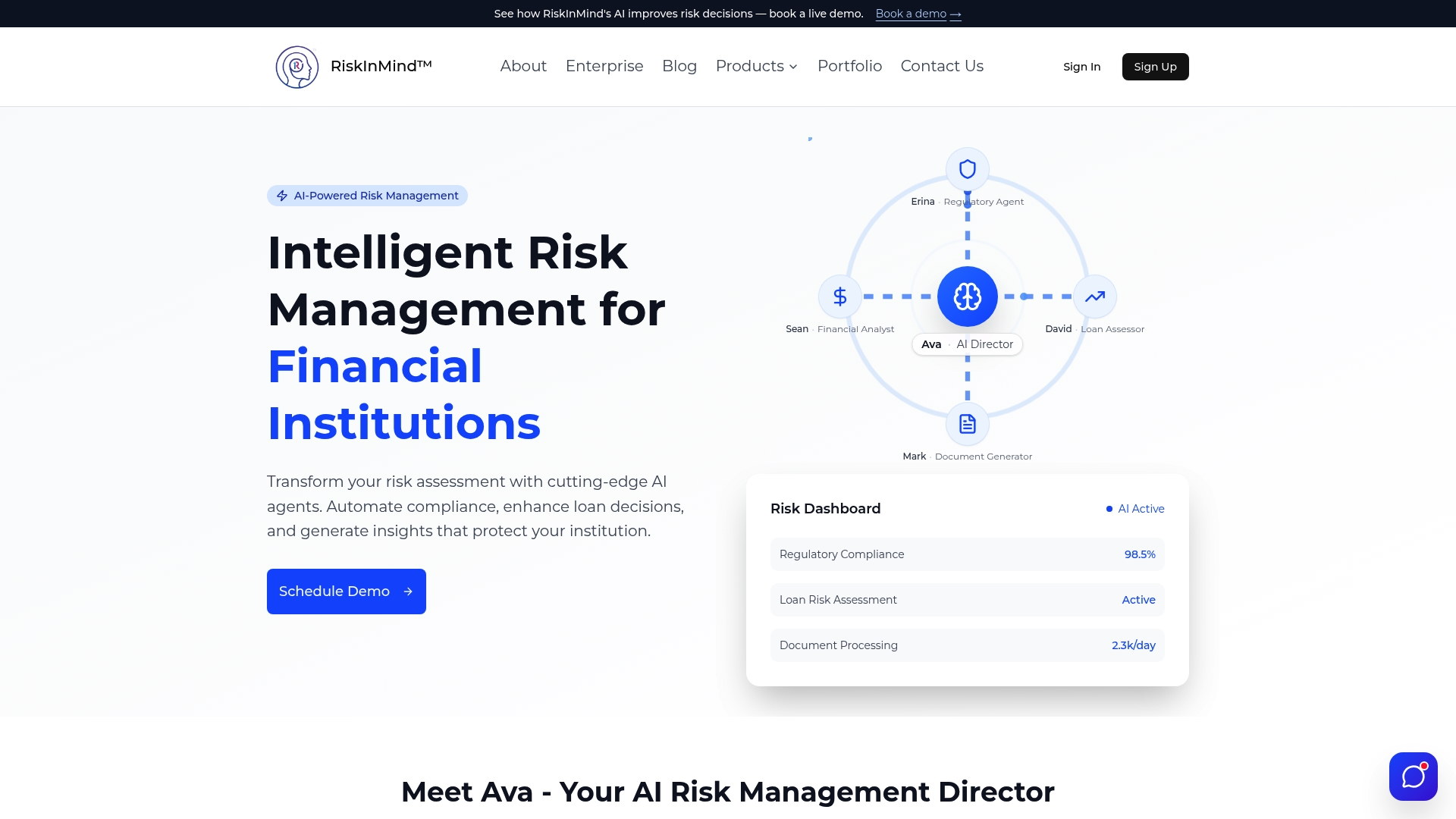
For a credit union or community bank, that means the checklist covered above, evidence ownership, parameter logging, retention testing, exception documentation, doesn't have to be built from scratch across a dozen disconnected tools. Specialized AI agents coordinated by a central AI director can handle the mechanical layer of report generation and evidence packaging so compliance teams can focus on judgment calls instead of spreadsheet archaeology. The platform's document generation tools and broader risk management modules are designed around exactly the traceability and access-control requirements this article walks through.
If your team is still reconstructing evidence trails by hand every audit cycle, the next step is straightforward: review RiskInMind's plans and book a demo to see how the platform handles evidence packaging and reviewer sign-offs for an institution your size.
Sources
- PCAOB AS 1215 — Audit Documentation
- PCAOB AS 1105 — Audit Evidence
- Audit Trail (report) - Business Central | Microsoft Learn
- Compliance-Ready Reporting: Audit Trails, Retention & Evidence Delivery — CxReports
FAQ
What Does "Audit Readiness" Mean?
Audit readiness means your reports, and the evidence behind them, are already organized, logged, and retained before an auditor asks for them. It requires a verifiable generation log, retained source evidence, and documented reviewer sign-offs, following the standard PCAOB AS 1215 sets for documentation detail.
Is It "Audit Ready" or "Audit-Ready"?
Both spellings appear in practice, and neither is wrong. "Audit-ready" with a hyphen is more common when it directly modifies a noun ("audit-ready reporting"), while "audit ready" without a hyphen often appears as a standalone descriptive phrase.
What Are the Four Types of Audit Reports?
The four standard audit opinion types are unqualified (clean), qualified, adverse, and disclaimer of opinion. An unqualified opinion means the financials fairly represent the institution's position; the other three signal varying degrees of concern about accuracy, completeness, or the auditor's ability to form an opinion at all.
What Are the Five Stages of the Audit Process?
Most audit frameworks break the process into planning, risk assessment, evidence gathering, testing and evaluation, and reporting. Evidence gathering is where audit-ready reporting pays off most directly, since evidence obtained from independent, reliable sources speeds that stage considerably.
How Does RiskInMind Support Audit-Ready Reporting?
RiskInMind automates evidence generation, template versioning, and control-by-control evidence packaging on a SOC 2® aligned platform, so institutions aren't rebuilding audit trails manually each cycle. Current plans and pricing are available on the RiskInMind pricing page.